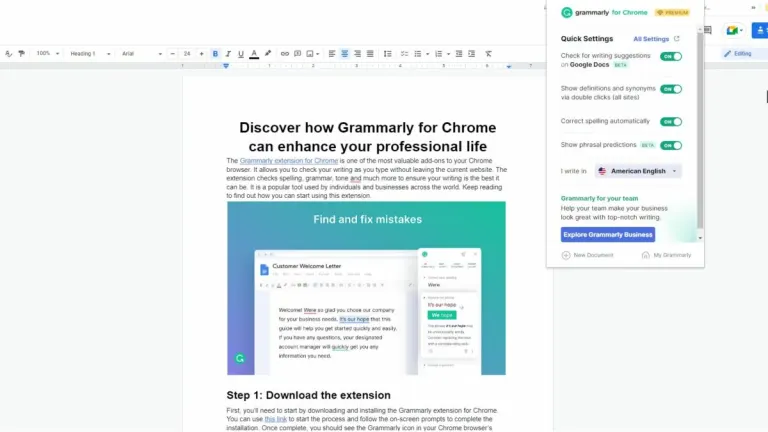

Enhance your writing with Grammarly for Chrome
Grammarly for Chrome is a browser extension that helps users improve their grammar, spelling, and clarity while writing online. It can be used for both personal and professional communication. Grammarly offers a free plan with essential writing assistance and a Pro plan with advanced AI features.
Top Recommended Alternative

Additionally, it integrates directly into your browser and works across websites such as Google Docs, Gmail, LinkedIn, and many other online platforms. Currently, Grammarly supports writing in English only, including American, British, Canadian, and Australian variants.
Real-time corrections improve your writing flow
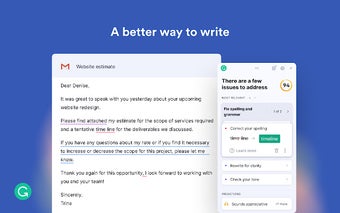
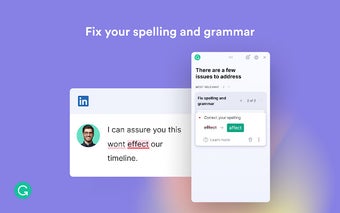
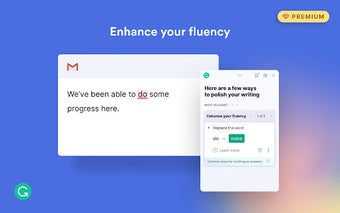
Grammarly’s key feature is its real-time feedback, which highlights grammar, spelling, and punctuation issues as you type and provides suggestions for improvement. This feature helps writers enhance accuracy and clarity in their writing, whether they’re composing an email, drafting a document, or writing online. Grammarly’s interface allows users to view and apply these suggestions directly within their browser for a smoother writing experience.
Personalized support for continuous improvement
Grammarly provides weekly writing reports that summarize your productivity, accuracy, and vocabulary use, helping you monitor your writing habits over time. It also delivers in-line feedback that adapts to your writing goals and context as you type.
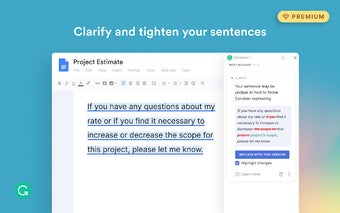
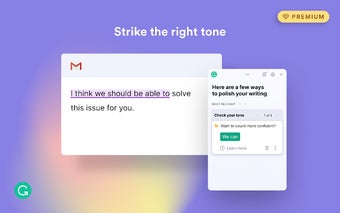
Moreover, Grammarly offers optional paid upgrades that unlock advanced features such as tone, clarity, and engagement suggestions, along with plagiarism detection and audience insights. The free version includes essential grammar, spelling, and punctuation checks.
Your all-in-one partner for confident writing
Grammarly for Chrome is an easy-to-use writing helper that makes your messages, emails, and documents clear and mistake-free. It checks your spelling, grammar, and tone while you type, giving quick tips to help you sound your best. Whether you’re writing for school, work, or everyday use, Grammarly helps you feel confident and write with ease anywhere online.